You press one button and tell a story. A pipeline of AI processes does
everything else: the transcript, who was there, when it happened, where,
and a picture of the memory, all placed in an archive your family can
explore together.
After my father died, I realised I had almost no recordings of him. Years
of stories, and hardly any of them in his own voice. I wanted to start
recording my relatives and the family's stories before more of them were
lost.
I also knew myself: if keeping an archive meant naming audio files,
typing up dates and noting who was in each story, I would never keep it
up. So I set one rule:
Recording a story is the only job.
Everything that normally turns a pile of audio files into an archive has to happen automatically.
Just press record
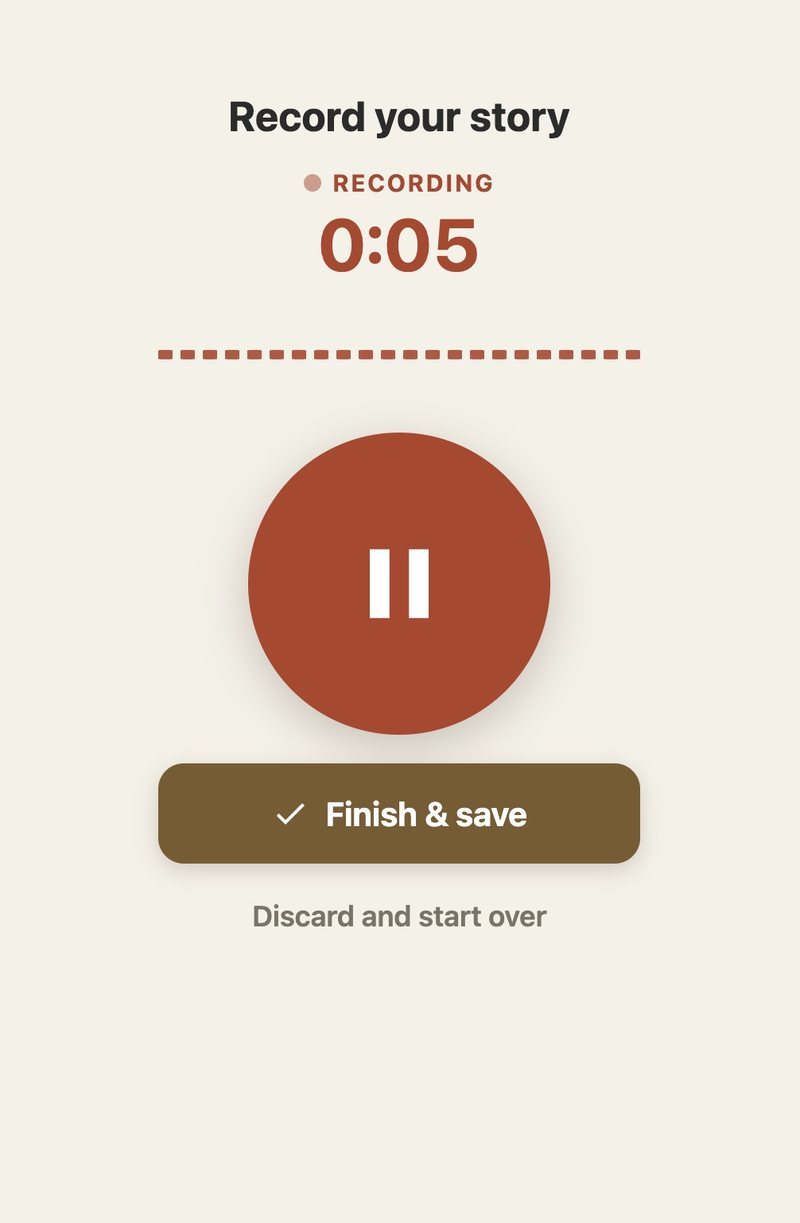
A relative opens a link on their phone, taps the red button and talks.
There is no app to install from a store and no password to remember:
relatives join through a personal link sent by someone in their family.
The recording uploads in small chunks while they speak,
so a dropped connection costs seconds rather than the story. If the
phone is locked or the browser closed before the recording is finished,
a background job picks up what was received and files it anyway. A story
that was told but never arrived is the one failure an archive like this
cannot afford.
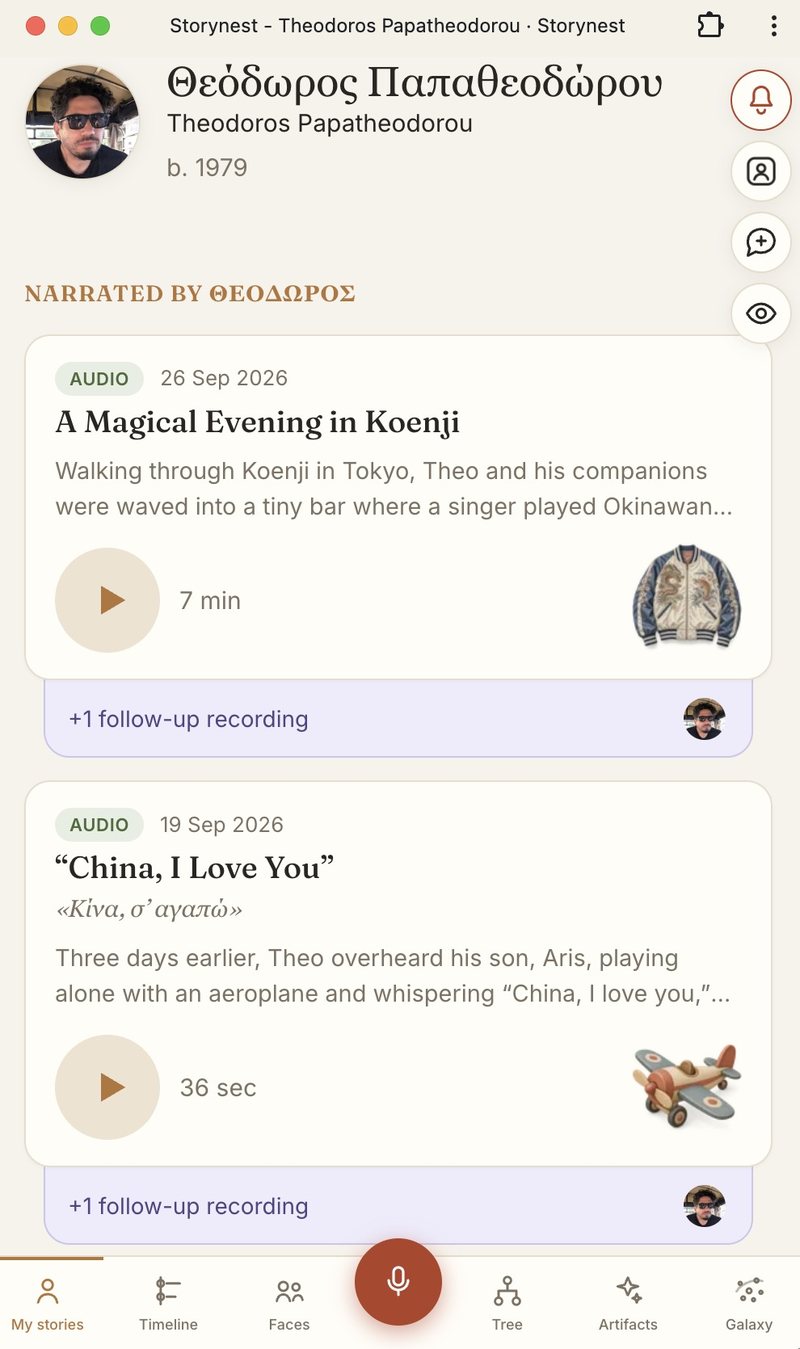
Recording: one buttonFiled automatically: title, date, summary and an illustration
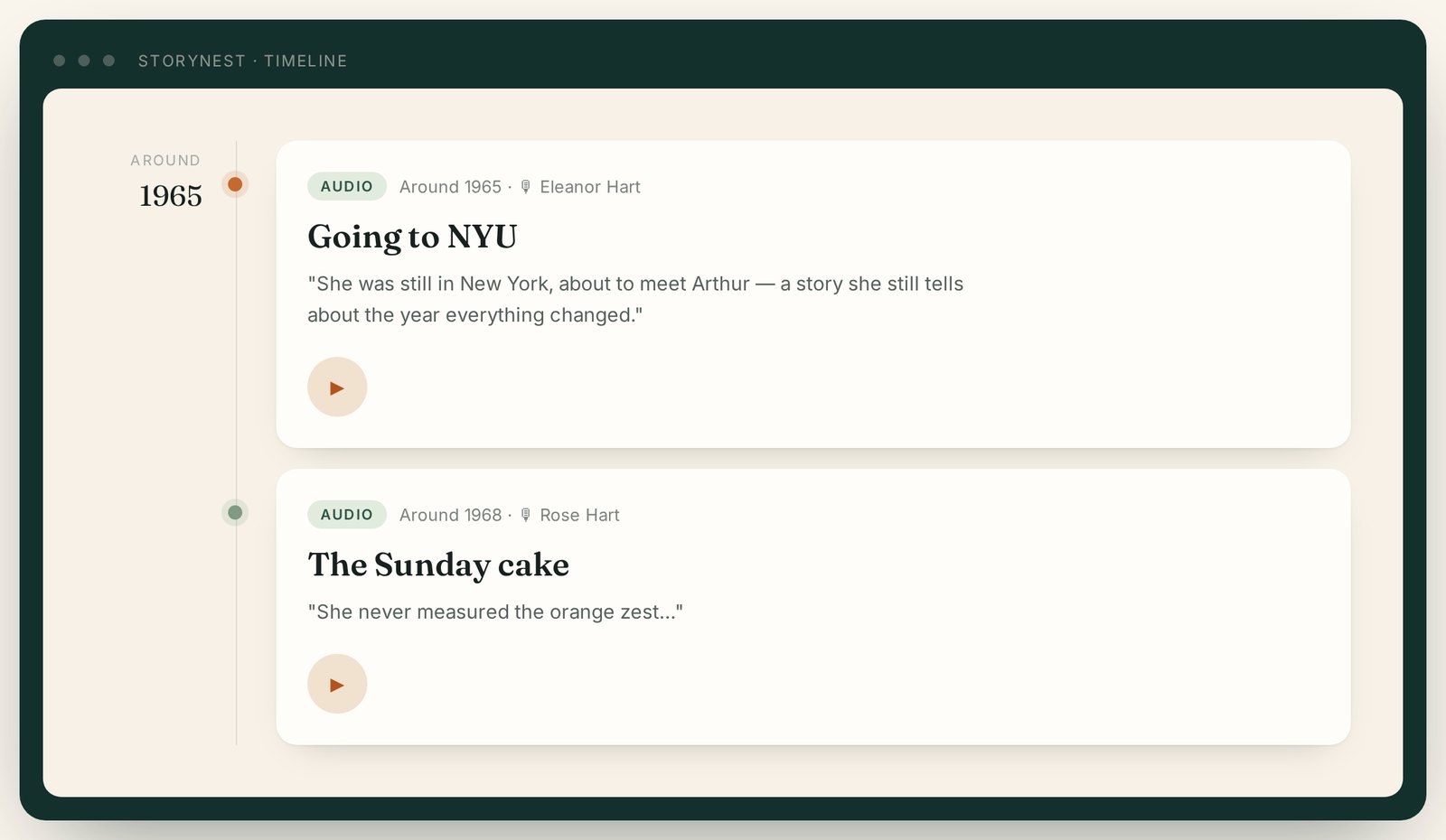
Stories land on a family timeline, dated automatically. Shown with a fictional example family.
The pipeline
Once a recording is in, it passes through a chain of AI steps:
Transcription with speaker labels and timestamps, so the archive knows who said what, and when in the recording.
Proofreading. Speech recognition struggles with names and with Greek in particular. A separate pass proposes word-level corrections rather than rewriting the transcript, so it can never paraphrase the person speaking. The machine's original is always kept.
A family dictionary. The archive learns the family's own words: names it should spell a certain way, and dialect and village words it must never “correct”.
Understanding the story: a title, a summary, the people, the places and the dates.
Linking people. Everyone mentioned is connected to a real person in the family tree, and stories appear under each relative's name.
Translation and meaning. Stories told in another language get an English reading version, and every story is turned into a numerical “fingerprint” of what it is about, which powers search, the radio and the galaxy.
An illustration: a symbolic image that represents the memory.
Working out when it happened
Nobody says “this happened on 4 November 2008”. People say “the night of
the American elections”, or “the summer before your sister was born”.
The pipeline reasons about these references and turns them into a date,
or a date range when that is the honest answer, so even a vague memory
finds its place on the timeline.
Who's who
Families are full of names that depend on who is speaking. My “mum” is
my children's “yiayia”; one person can be “George”, “dad” and “grandad”
in three different stories. Storynest keeps one record for each
real person and remembers what each relative calls them, so
every “mama” resolves to the right person for the person telling the
story. When the system isn't sure who someone is, it leaves the link
open and flags it, rather than guessing.
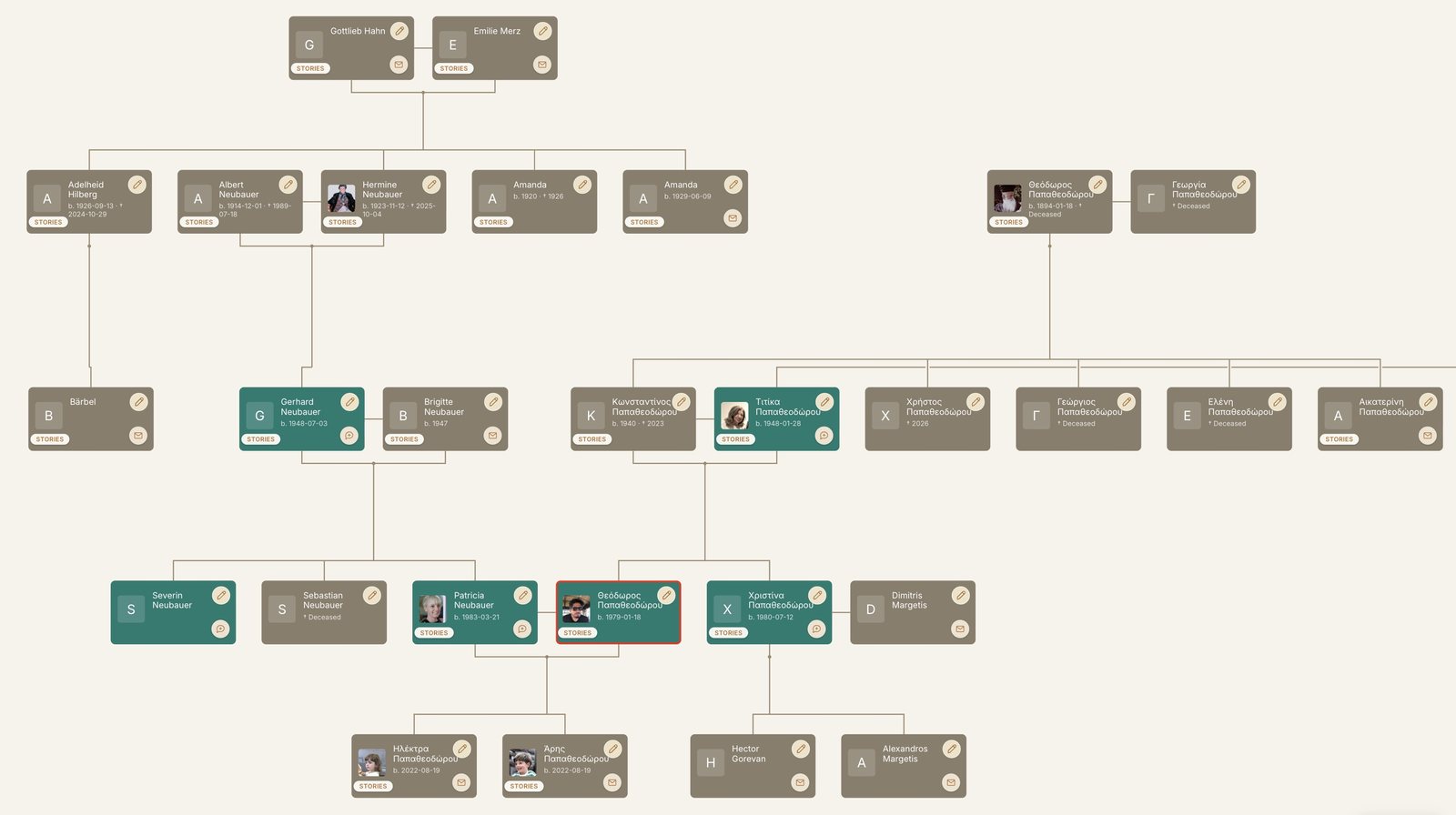
The family tree itself is built by voice. The first
person in a family simply records themselves describing their relatives
(“my father George, born in 1950, married to Maria; their children are
me and my sister Anna…”). The AI turns that into people and
relationships, shows them on a card where every name can be corrected,
and builds the tree.
A family tree built from recordings · click to enlarge
Ways to explore
Once stories are in, the archive can be browsed by face, on a timeline, on the family tree, or in two ways that rely on what the stories mean.
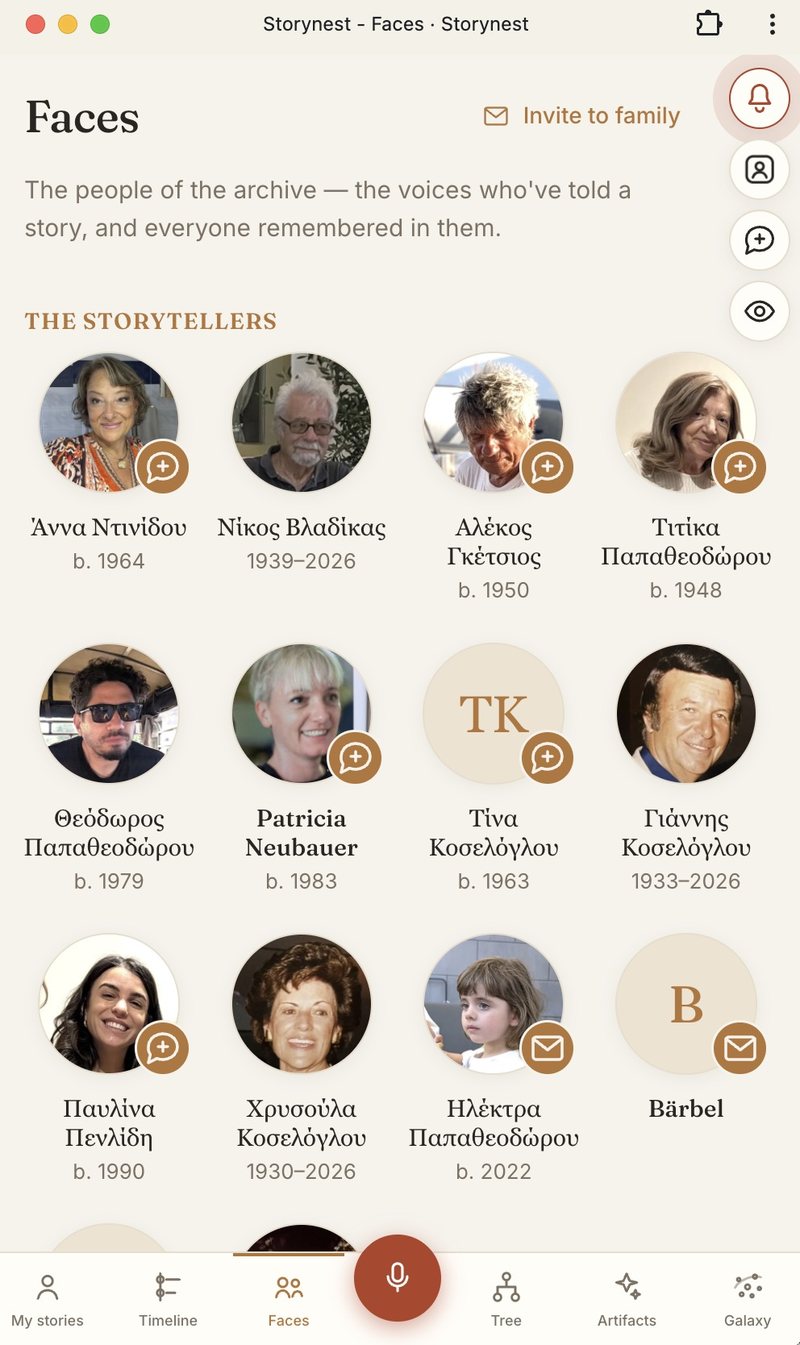
Faces: everyone who has told a story, or is remembered in one
Search and ask
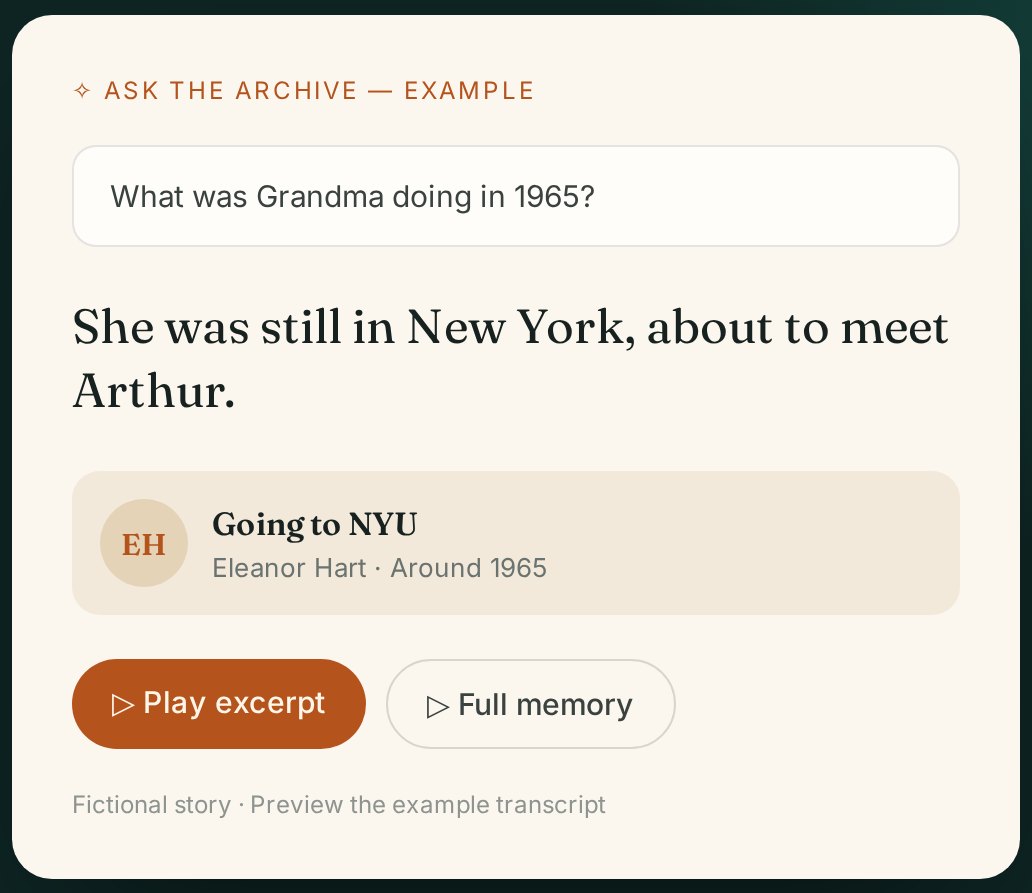
Everything is searchable. You can type a word or a name, or ask a
question in your own words, like “What was Grandma doing in 1965?”
The answer is short and always links back to the recording, so you can
go straight to the voice that remembers.
Ask a question, get a short answer and the recording it came from.
Family radio
Choose a theme, such as first love, moving countries
or family cooking, and the radio finds the passages that
matter across everyone's recordings and plays them one after another.
You hear your grandmother's version, then your uncle's, then your
mother's: the same theme in different familiar voices.
The galaxy
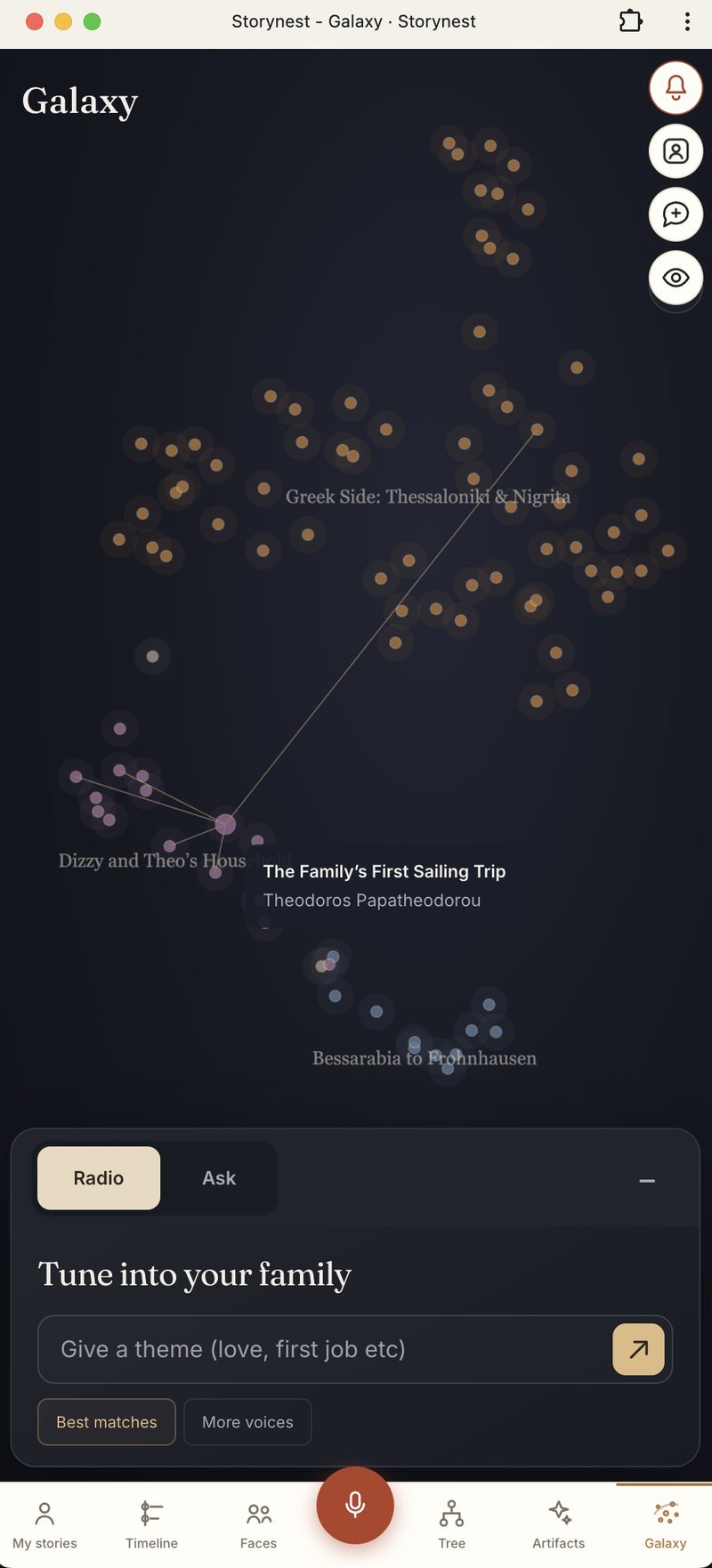
The galaxy is a map of the family's stories, where each story is a star
and stories about similar things sit close together. Neighbourhoods form
on their own and are named automatically by topic.
Each family gets its own map, built only from the stories its members
are allowed to see. The maps are rebuilt overnight when something has
changed, new stories appear straight away in between, and a
neighbourhood keeps its name as it grows, so the map stays familiar.
The galaxy, with topics named automatically and the radio underneath
Private, and yours
Storynest is in open alpha: anyone can start an archive for their family.
Inside it, each story is visible only to its teller and the family it is
shared with, and that is checked on the server for every
page and every recording. Original recordings are never overwritten.
It's your data. You can download everything your
family has stored at any time, recordings included, so you are never
tied to the platform.
Storynest is free to join! Start your family's archive at storynest.audio.