Yum Yum
AI Recipe App
One photo, link or recording.
A recipe ready to cook and share.
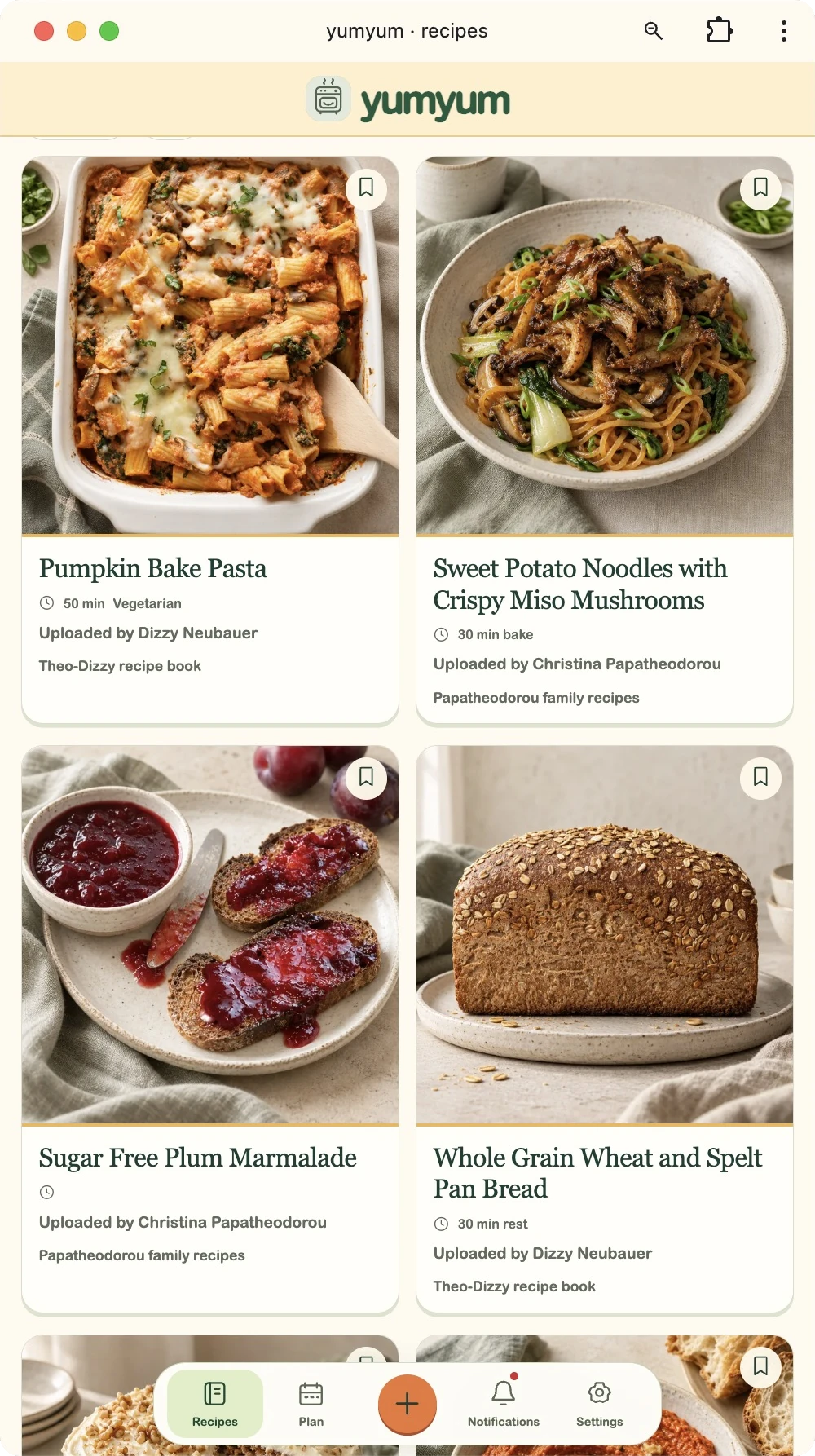
My wife had been asking for somewhere to keep our family recipes for years. Her grandmother’s recipes, my grandmother’s recipes: handwritten pages, magazine cuttings, screenshots and bookmarked websites. I wanted to bring them together without giving either of us another organising job.
Try Yum Yum →Signups are open. Start with credit for around 15 recipe imports, and share your books with family.
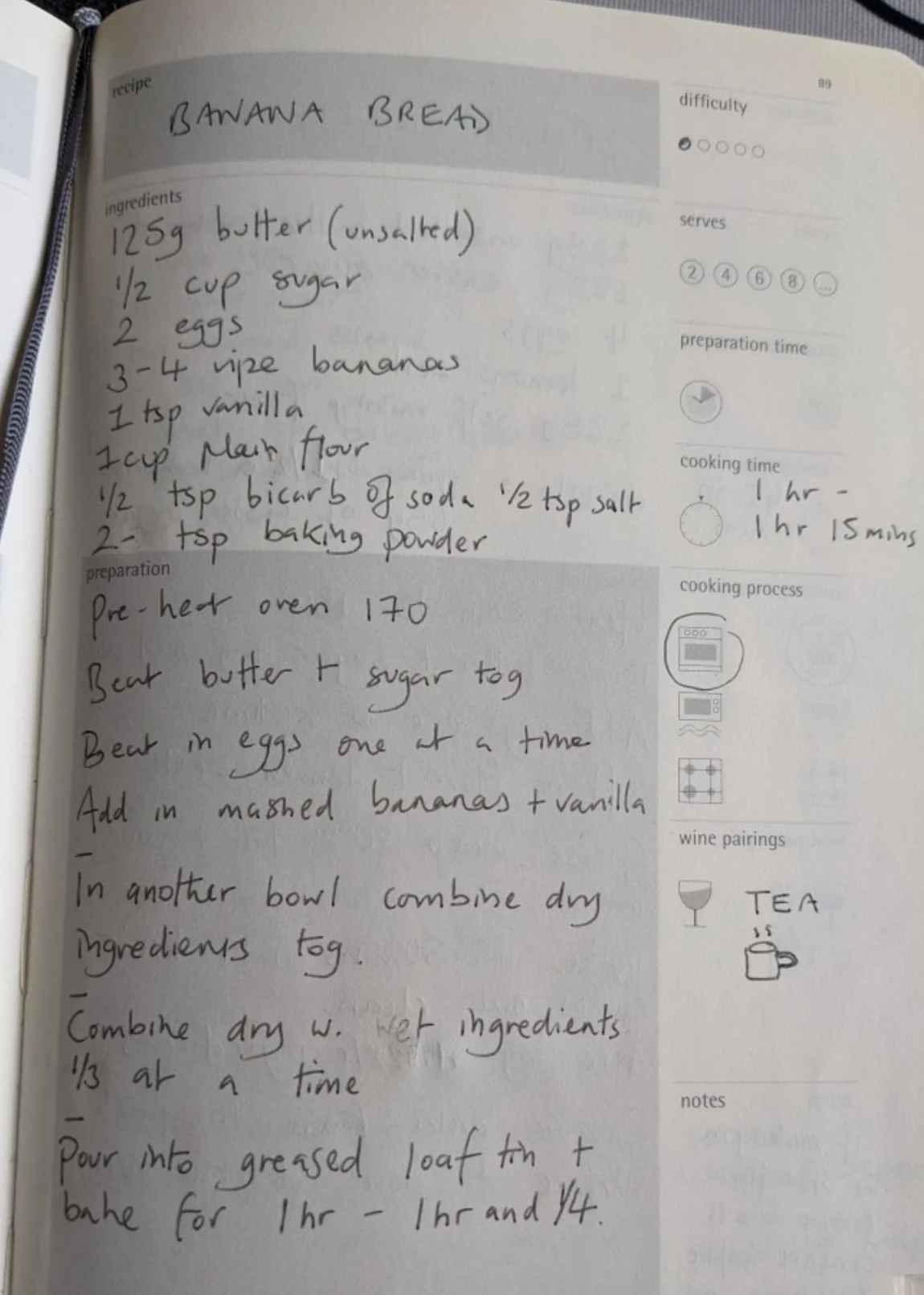
From this page to all of this
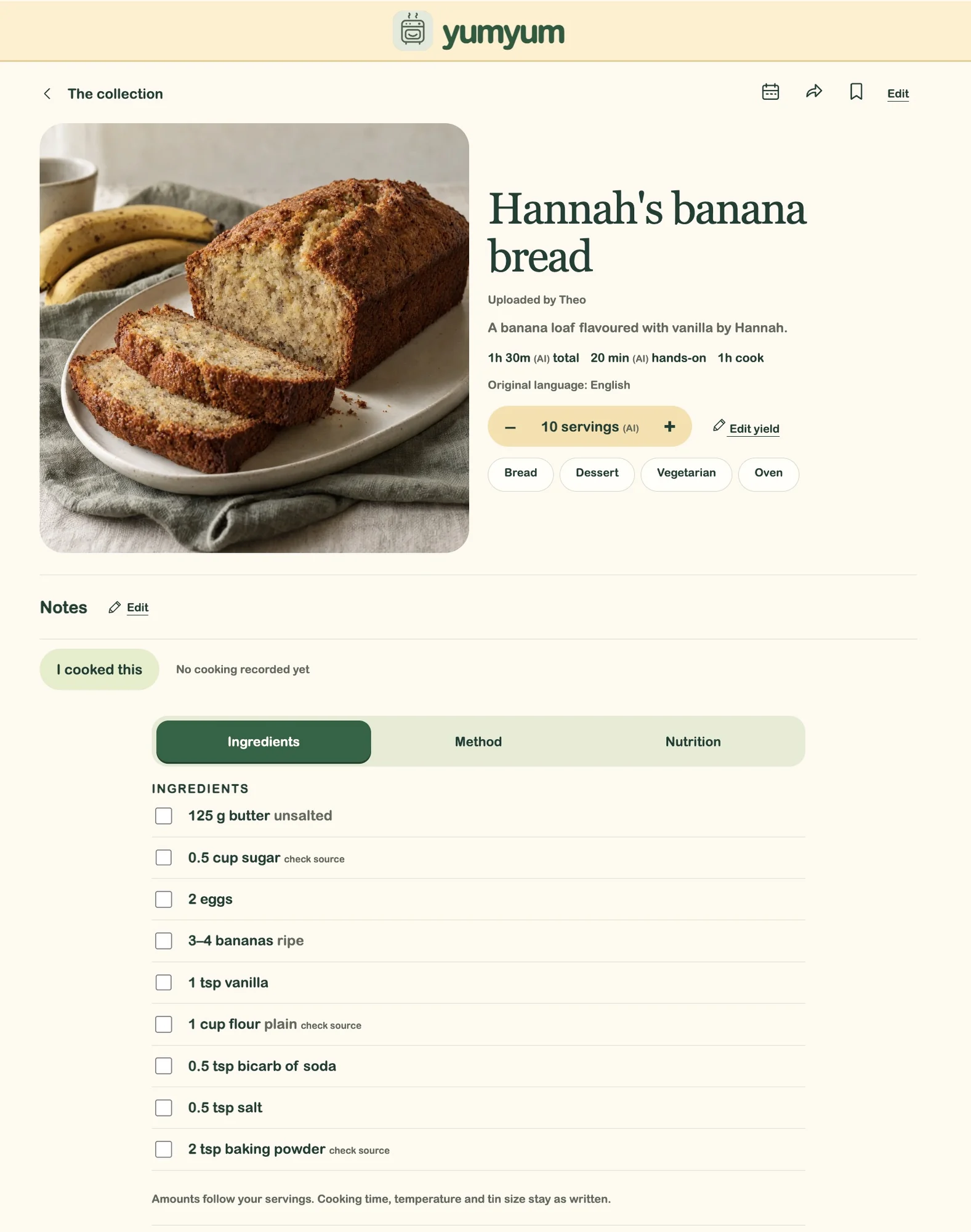
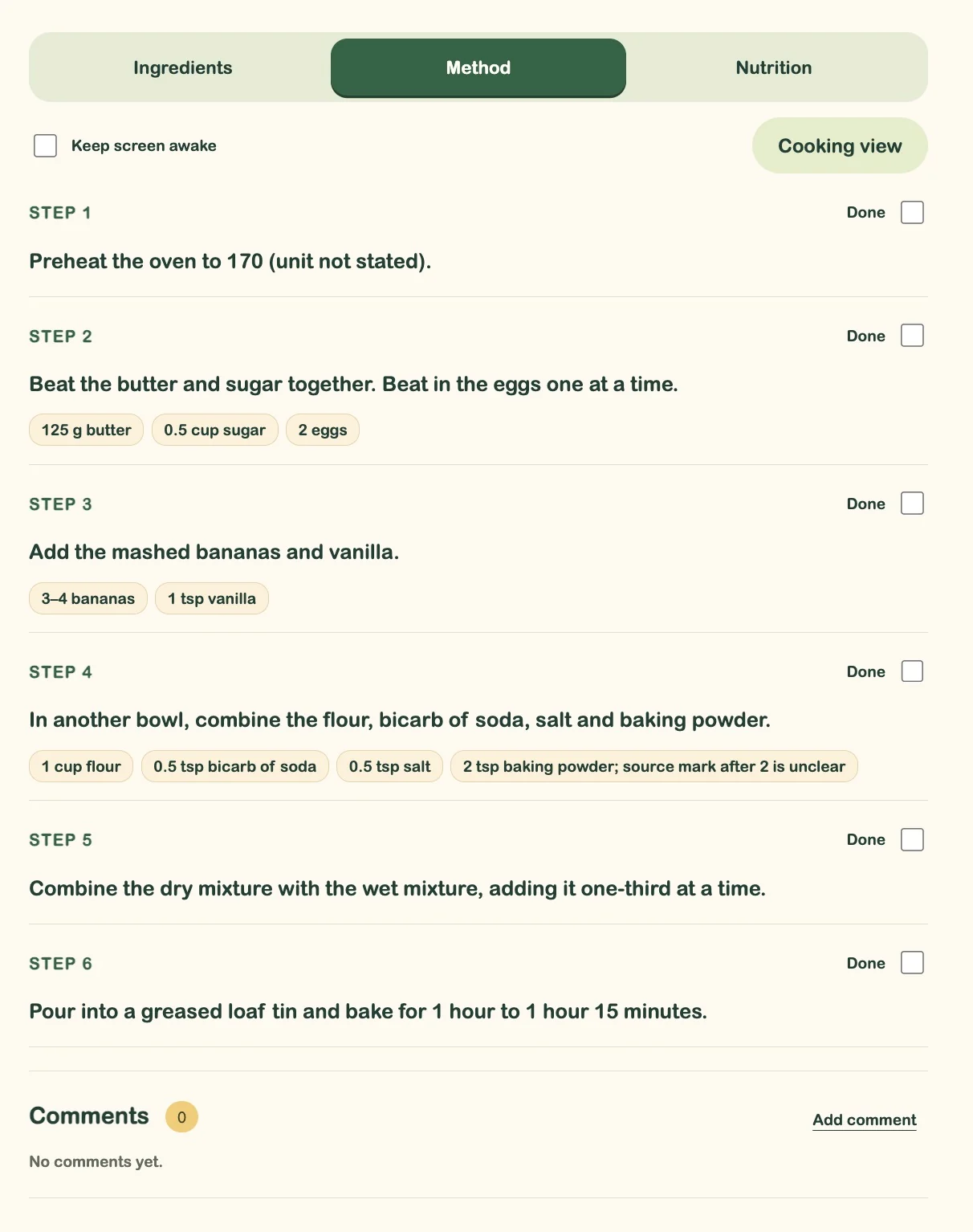
Hannah’s banana bread starts as a photo of a handwritten page. Yum Yum turns it into clean text, a useful ingredient list, a step-by-step method and nutrition estimates, automatically.
Ingredients
Method
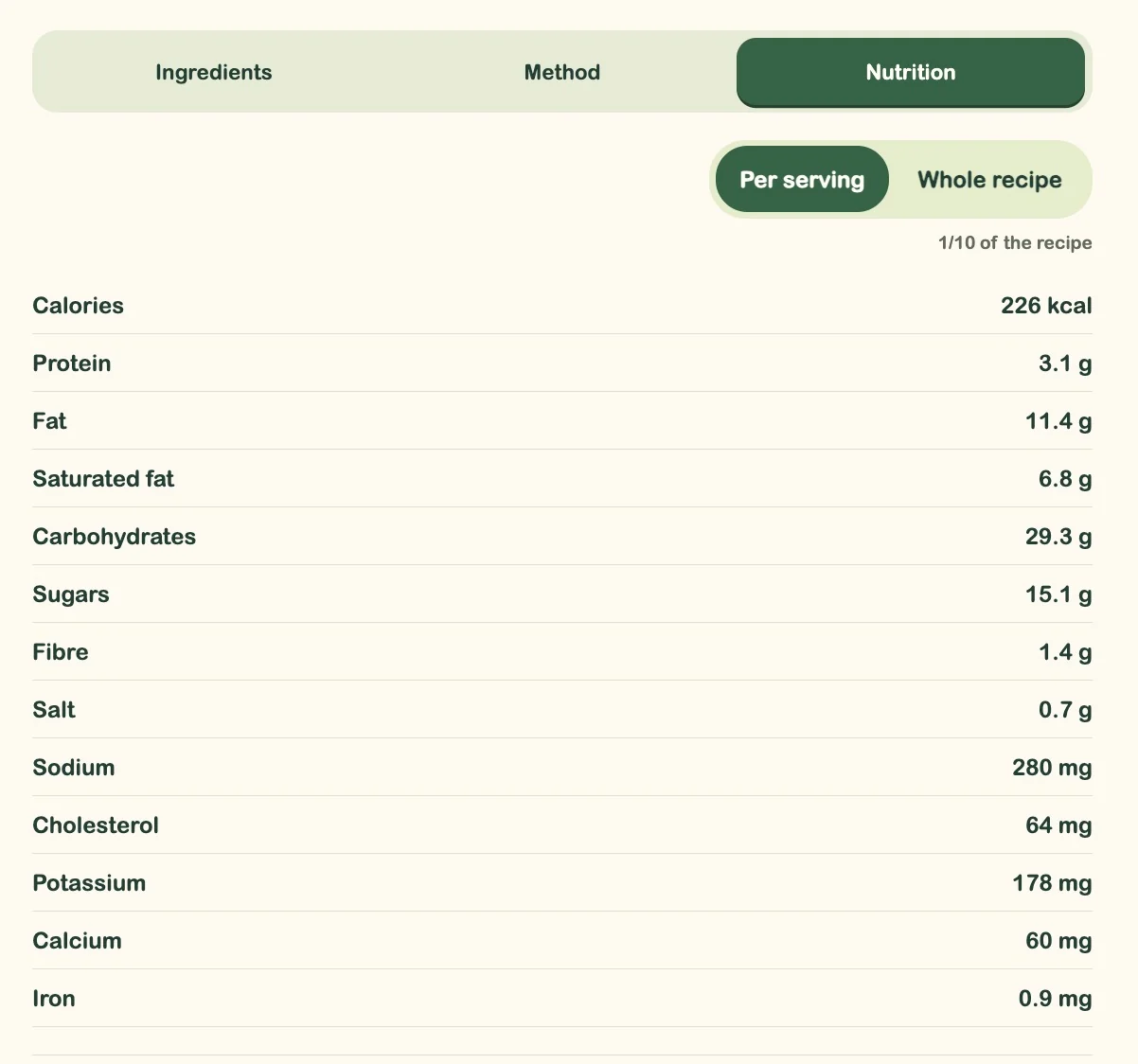
Nutrition
Bring the recipe, however you have it
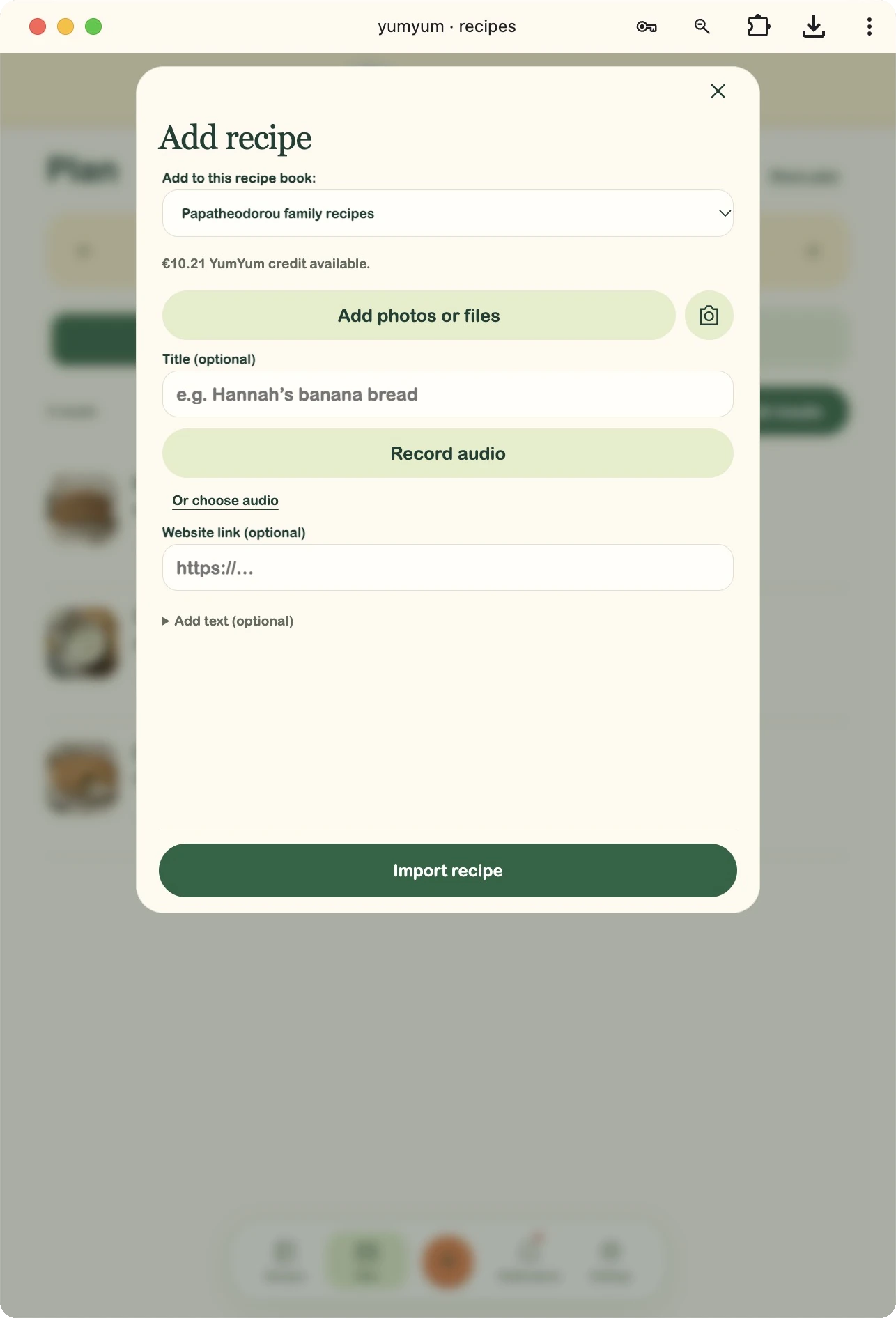
Photograph a handwritten note or a cookbook page, upload a screenshot, paste a website link or text, or record someone explaining the recipe. Yum Yum does the organising.
At a friend’s house, you could photograph the meal and ask them to talk you through it. The recording supplies the recipe; the photo helps guide the finished image. Or just snap the page in their recipe book.
Ingredients and units are standardised, with familiar measures such as tablespoons, teaspoons and grams. Recipes can be translated into English—including those family favourites written in Greek—while keeping the original source and language available.
A place for the picture, too
AI creates a consistent, polished image for each dish. An existing photo guides a new rendering with clearer lighting, colour and framing; if there’s no photo, Yum Yum generates one from the recipe.
Made for cooking
Cooking view makes the text bigger, keeps the screen awake on supported devices and lets you tick off ingredients and steps as you work. The quantities you need sit beside each instruction.
Nutrition from food data
AI handles the recipe extraction and organisation. Nutrition estimates use USDA FoodData Central, matched to the ingredients and quantities, with totals for one serving or the whole recipe.
More than one family cookbook
Make separate books for your household, your wider family, friends or old flatmates. Invite each circle to share its own recipes, keeping the food and the people it came from together.
Plan the week. Take the list.
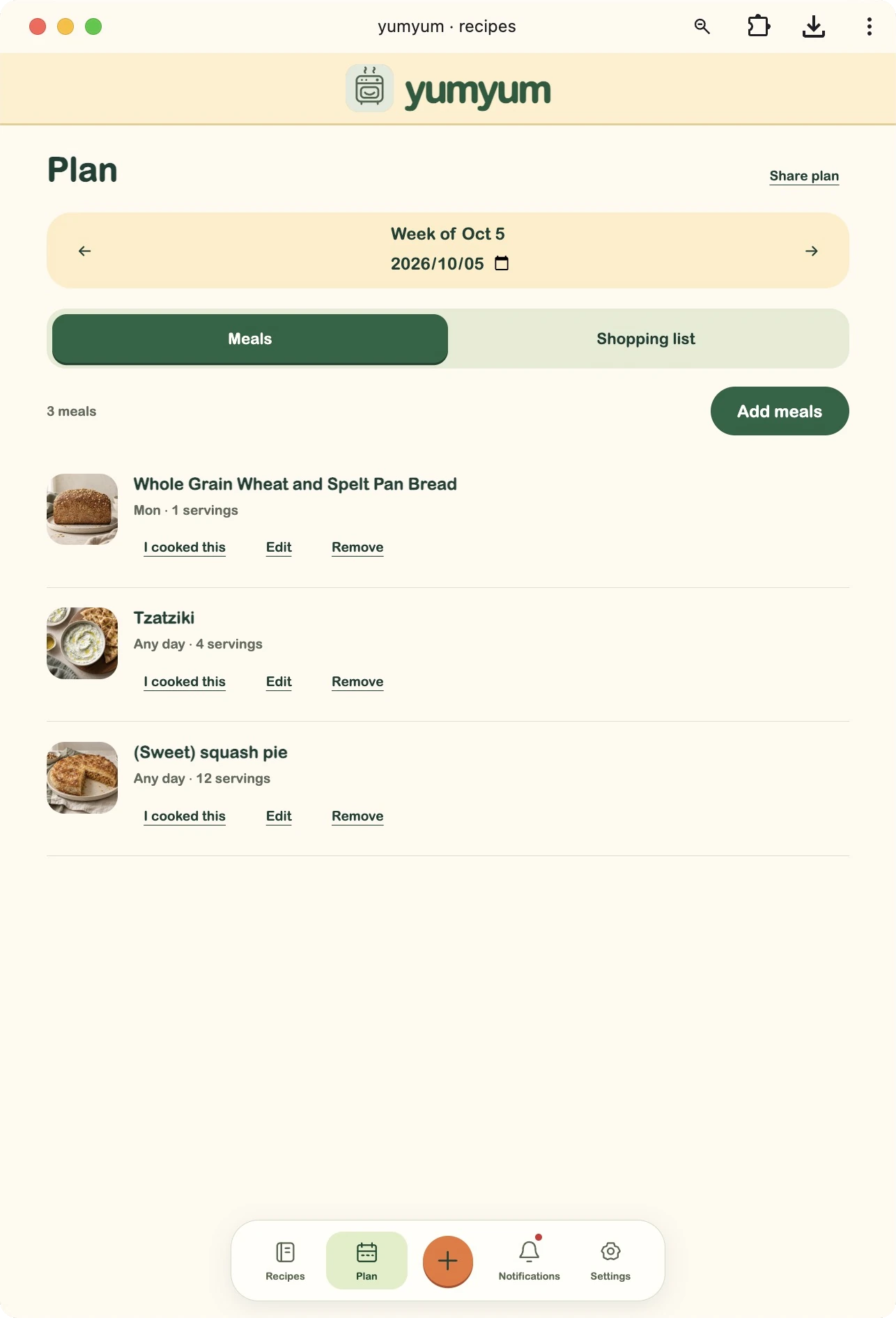
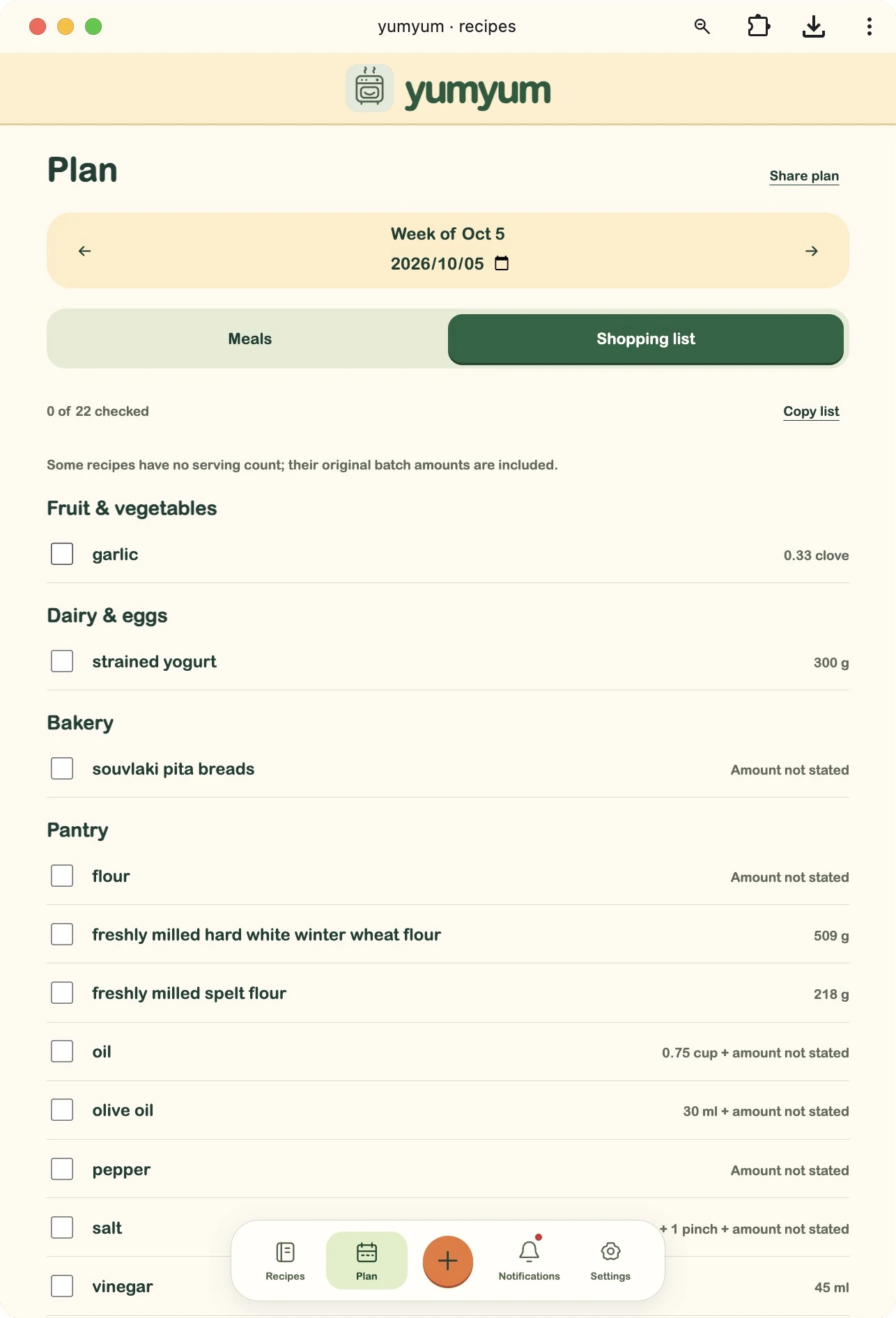
Choose meals for the week and Yum Yum builds a shopping list from them, grouped into supermarket sections so it’s easy to shop online or work your way around the aisles.
Start with one family favourite
A page, a link, a voice. The recipe takes care of the rest.
Try Yum Yum →Signups are open. Start with credit for around 15 recipe imports, and share your books with family.